
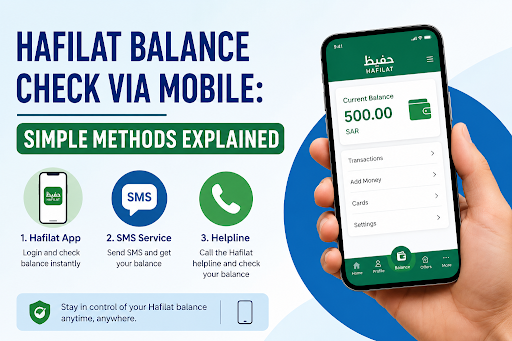
Your smartphone is in your pocket every time you board a bus in Abu Dhabi which makes it the most natural and convenient tool for managing your Hafilat card. Whether you want to know exactly how much credit you have left before leaving home, get a real-time alert when your balance drops too low, or top up instantly without visiting a machine, your mobile phone can handle all of it. A quick hafilat balance check via mobile takes under sixty seconds and can save you from the embarrassment of a declined tap at the bus validator.
This guide covers every mobile method available in 2026 from official apps and SMS shortcuts to browser-based tools and digital wallets with clear, step-by-step instructions for each. No matter what kind of phone you have or how tech-savvy you are, at least one of these methods will work perfectly for you.
Why Checking Your Hafilat Balance on Mobile Makes Sense
For most Hafilat card users, a mobile balance check is simply the most practical option available. Here’s why it works better than walking to a TVM or visiting a customer service counter for a routine check:
- Available 24/7 no need to wait for office hours or locate a machine
- Free of charge all mobile balance check methods cost nothing
- Takes under a minute faster than any physical alternative
- Works from anywhere whether you’re at home, at work, or already on the bus
- Gives you transaction history not just the current balance, but a record of recent journeys and top-ups
Running out of balance mid-commute is one of the most common frustrations for public transport users in Abu Dhabi. Checking your balance from your phone before you step out the door is the simplest way to avoid it entirely.
Method 1: The Darb Mobile App Most Complete Option
The Darb app is the official mobile application developed by Abu Dhabi Mobility (formerly the Integrated Transport Centre). It is the most feature-rich option for managing your Hafilat card from a smartphone covering balance checks, transaction history, online recharge, trip planning, and balance alerts in one place.
How to Download and Set Up the Darb App
- Open the Google Play Store (Android) or Apple App Store (iOS)
- Search for “Darb Abu Dhabi” make sure you download the official app to avoid fake versions
- Install and open the app
- Sign up using your mobile number and email address, or log in with UAE PASS if you already have an account
- Tap “My Cards” or “Add Card” and enter your 16-digit Hafilat card serial number (printed on the back of your card)
- Save the card details
How to Check Your Balance on the Darb App
- Open the Darb app and log in
- Navigate to “My Cards” and select your linked Hafilat card
- Your current balance is displayed in AED immediately on the card detail screen
- You can also view your last five transactions recent taps and recharges directly on the same screen
- Tap Refresh to pull the latest balance update if you’ve recently recharged
Setting Low Balance Alerts
One of the most useful features of the Darb app is the ability to enable notifications when your balance drops below a threshold. Enable notifications to get alerts when your balance drops below AED 10. This means you never have to actively remember to check the app will notify you automatically when it’s time to top up.
Recharging Through the Darb App
If your balance is low, you can top it up directly within the app:
- Go to “My Cards” and select your Hafilat card
- Tap “Top Up” or the recharge icon
- Select the amount you want to add (AED 10, 20, 50, 100, or up to a maximum of AED 150)
- Choose your payment method credit/debit card, UAE PASS-linked payment, or other in-app options
- Confirm the transaction
- Your balance usually updates within 2 to 3 minutes
Best for: Daily commuters who want full card management balance, history, recharge, and alerts all in one app.
Method 2: The PayIt App Best for FAB Customers
PayIt is a UAE digital wallet powered by First Abu Dhabi Bank (FAB). It supports Hafilat card balance checks and recharges as part of its UAE Bills & Recharge feature making it an ideal option for users who already use PayIt for banking or bill payments.
How to Check Your Hafilat Balance on PayIt
- Open the PayIt app on your smartphone and log in
- Confirm your identity by entering the OTP sent to your registered mobile number
- Tap “UAE Bills & Recharge” on the PayIt dashboard
- Select “Public Transport” from the category list
- Tap “Hafilat Card Balance and Recharge”
- If your card is not yet linked, tap “Add New Card” and enter your 16-digit Hafilat card serial number exactly as it appears on the back of the card
- Save the card details
- Select the linked card from your list PayIt displays your current balance in AED, along with your card expiry date and recent transaction history
Recharging Through PayIt
- After viewing your balance, tap “Top Up”
- Enter the amount you wish to add
- Complete payment using your PayIt wallet or a linked credit/debit card
- The balance typically reflects within a few minutes
One practical tip from the PayIt experience: you may also be asked to create a Nickname for your card, which means that if you want to recharge your Hafilat card again in the future, you can quickly top up without having to re-enter your details.
Best for: Users who bank with FAB or already use PayIt as their primary digital wallet.
Method 3: SMS to 3009 Works Without Internet or a Smartphone
For users who don’t have a smartphone, have a basic phone, or simply prefer not to install an app, the SMS method is the simplest and most accessible way to check a Hafilat balance via mobile.
How to Check Your Hafilat Balance by SMS
- Open the Messaging app on your phone
- Create a new text message
- Type: BAL followed by a space and your 16-digit Hafilat card serial number
Example: BAL 1234567890123456 - Send the message to 3009
- You will receive an SMS reply showing your current balance in AED and your card expiry date within seconds
Important notes:
- Use your registered mobile number the number linked to your Hafilat card account to send the SMS for the most accurate and secure response
- Do not add spaces within the card number just the single space between BAL and the number
- If you don’t get a reply, wait a few minutes and resend exactly the same message; sometimes there’s a small delay
- This method works on all UAE mobile networks both Etisalat (e&) and du
Best for: Users without a smartphone, those with limited mobile data, or anyone who wants the fastest possible balance check without opening an app.
Method 4: USSD Code *163# Instant, No Internet Required
The USSD code method is even faster than sending an SMS it requires no messaging app, no data connection, and works on virtually any mobile phone in the UAE.
How to Check Your Hafilat Balance via USSD
- Open your phone’s dialer (the keypad you use to make calls)
- Type: *163#
- Press the Call or Send button you are not making a call; the USSD menu will appear on screen instead
- A menu will appear select the option for “Check Hafilat Card Balance” (usually listed as option 1 or 2)
- When prompted, enter your Hafilat card number and confirm
- Your current balance will be displayed on screen or sent to your mobile number via SMS within 10 to 30 seconds
Pro tip: Save the USSD code *163# as a contact in your phone for quick access anytime this way you can dial it in one tap rather than typing it out each time.
Best for: Users on basic phones, users with no mobile data plan, or anyone who wants the fastest possible balance check in a matter of seconds.
Method 5: Official Darb Website via Mobile Browser No App Needed
If you prefer not to install any app but still want to check your balance online, the official Darb website works perfectly on a mobile browser.
How to Check Balance via Mobile Browser
- Open your mobile browser (Chrome, Safari, or any browser)
- Go to hafilat.darb.ae
- Make sure the page shows a padlock icon in the address bar (HTTPS) this confirms you are on the secure, official portal
- Tap the menu icon (☰) at the top-left of the Darb site
- Select Public Transport → Hafilat Cards
- Tap Online Services → Recharge Card
- On the recharge page, find the Card Serial Number field and enter your full 16-digit number exactly as it appears on the back of your card
- Your available balance and recent transactions will appear on screen
The Darb website is fully mobile-optimized, so the experience on a smartphone browser is smooth and readable. It also allows you to recharge directly from the same page after viewing your balance.
Best for: Users who want browser-based access without committing to installing an app, or those who prefer desktop-style access on a phone.
How to Find Your Hafilat Card Serial Number
All mobile balance check methods require your Hafilat card serial number a 15 to 16-digit number printed on the back of your physical card. Here’s how to locate it:
- Flip your card over to the back side
- Look for a number beginning with digits that identify it as a Hafilat card it is typically printed in a row near the middle or bottom of the card
- The serial number does not include the first two digits (0 and 1) on some portals these are pre-filled; enter only the remaining digits when prompted
- Take a photo of the back of your card and save it to your phone’s gallery this way, you always have the number accessible even if you forget your card at home
Comparison: Which Mobile Method Is Right for You?
| Method | Internet Required | App Required | Speed | Best For |
| Darb App | Yes (Wi-Fi or data) | Yes | Instant | Daily commuters, full management |
| PayIt App | Yes (Wi-Fi or data) | Yes | Instant | FAB customers, digital wallet users |
| SMS to 3009 | No | No | Under 1 minute | Basic phones, no data plans |
| USSD *163# | No | No | Under 30 seconds | Fastest offline method, any phone |
| Darb Website (browser) | Yes (Wi-Fi or data) | No | Instant | No-app users, quick browser access |
Security Tips for Mobile Balance Checks
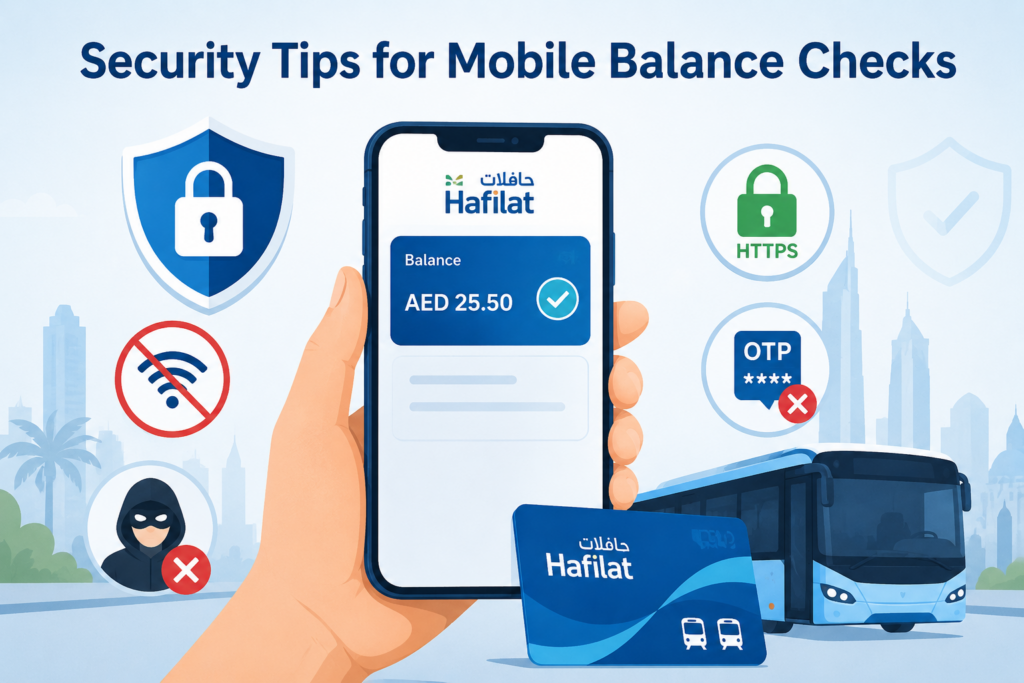
Keeping your Hafilat card information safe while checking your balance via mobile is important. Follow these guidelines:
Only use official channels. For app-based checks, only use the official Darb app (from the Abu Dhabi Mobility / ITC) or the PayIt app (from FAB). For web-based checks, only enter your card number on hafilat.darb.ae verify the HTTPS padlock is visible before entering any details.
Never share your card serial number publicly. Your 16-digit serial number is what connects your balance to your card. Treat it like a bank account number, don’t post it on social media, share it in group chats, or enter it on unofficial websites.
Use secure networks for recharging. Avoid public Wi-Fi networks when topping up your Hafilat card online. Use your mobile data connection or a trusted home/office network instead.
Keep your registered mobile number updated. SMS alerts, USSD responses, and balance notifications are sent to your registered number. If you change your phone number, update it on your Darb account to ensure you continue receiving accurate notifications.
Never share OTPs. If you are recharging through PayIt or any payment app, you will receive a one-time password (OTP) for transaction verification. Never share this code with anyone, not even someone claiming to be from customer support.
Troubleshooting Common Mobile Balance Check Issues
“No record found” after entering my card number. Double-check that you are entering the full correct serial number with no spaces, extra characters, or missing digits. Ensure you are not accidentally including the pre-filled “01” digits that appear on some portals.
I sent an SMS to 3009 but received no reply. Wait up to five minutes delays occasionally occur during peak hours. If still no response, confirm you are sending from your registered mobile number and that the message format is exactly BAL followed by a space and the 16-digit number.
My balance in the Darb app doesn’t match what the bus validator showed. There can be a short sync delay between bus validator deductions and the app’s displayed balance. Tap the Refresh button in the app, or wait a few minutes for the system to update. If the discrepancy persists after 30 minutes, contact Hafilat customer support.
*The USSD code 163# is not working. Confirm that USSD services are enabled on your SIM card contact your mobile provider (e& or du) if you are unsure. Also ensure you are dialing from a UAE number, as USSD codes are network-specific and may not work on international or roaming SIMs.
My balance isn’t updating after a recent recharge. Balance updates after online recharges typically take 2 to 5 minutes. If your balance doesn’t update in the app, tap your Hafilat card on a bus validator or TVM to activate the recharge. The card may need a physical tap to sync the new balance.
Smart Habits for Managing Your Hafilat Balance via Mobile
Set a minimum balance threshold. Decide on an amount say AED 20 that you will never let your balance drop below. When you see your balance approaching that number, top up immediately rather than waiting until it is critically low.
Enable push notifications on the Darb app. With notifications active, the app will alert you when your balance falls below AED 10 you won’t have to manually check at all.
Check your balance the night before a busy travel day. If you know you have a long commute or multiple bus connections the next day, a quick SMS or app check the evening before takes seconds and guarantees a smooth journey.
Save the SMS shortcut. Add 3009 as a contact labeled “Hafilat Balance” in your phone. Next time you need a quick check, you can open the contact, compose a message with your card number, and send it in under ten seconds.
Take a screenshot of your balance after recharging. This serves as a record in case you need to dispute a transaction or contact customer support.
Final Thoughts
Checking your Hafilat card balance via mobile is one of the easiest ways to keep your daily commute in Abu Dhabi completely hassle-free, and it also helps when you’re planning your trip using Hafilat bus timings fares. Whether you prefer the full-featured Darb app, the simplicity of an SMS to 3009, or the instant USSD code *163#, there is a mobile method that suits every type of user and every type of phone. The best approach is to pick one method, get comfortable with it, and make it a habit. A ten-second balance check before you leave home is far better than a red beep at the bus stop, and with so many convenient mobile options available in 2026, there is really no reason to ever be caught off guard again.
Apart from that, if you want to know more about How to Check UAE Visa Validity Using Passport Number then visit our UAE Market category.