

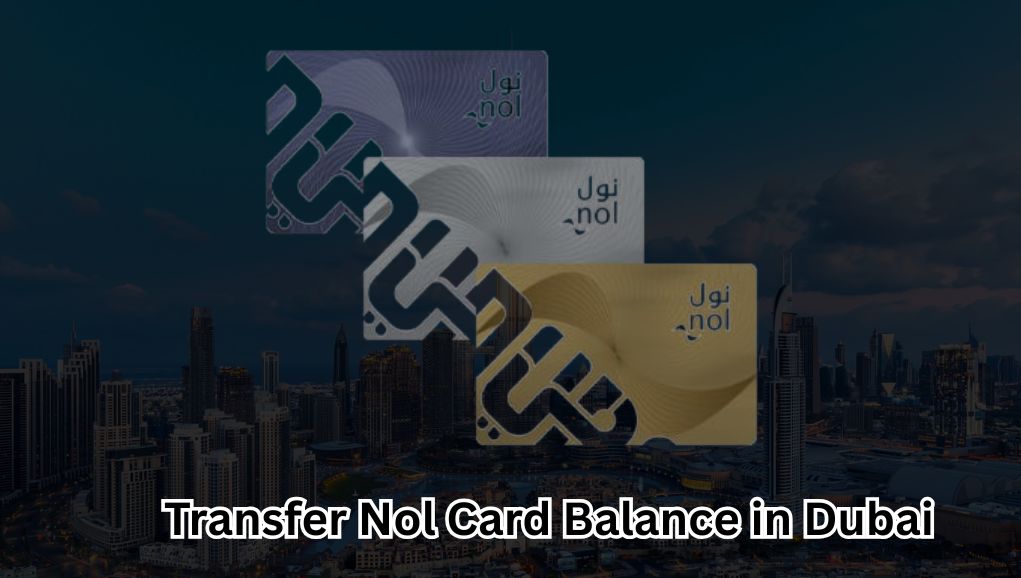
Dubai’s public transport system is known for being fast, smart, and highly reliable. At the heart of it all is the Nol Card, which allows residents and visitors to travel seamlessly across the city without using cash.
Whether you take the Dubai Metro, buses, trams, water buses, or even pay for RTA parking, your Nol Card handles it all.
One of the most common questions commuters ask is:
Can you transfer Nol card balance from one card to another?
The short answer is yes — but only in specific situations.
In this complete 2026 guide, you’ll learn:
- When Nol card balance transfer is allowed
- When it’s not possible
- How balance recovery works
- What to do if your card is lost or expired
- And the best alternatives if a direct transfer isn’t available
Before starting any transfer or replacement request, it’s smart to do a nol card balance check so you know exactly how much credit is on your card and whether a transfer or refund makes sense.
What Is a Nol Card?
A Nol Card is a smart payment card issued by Dubai’s Roads and Transport Authority (RTA). It stores electronic credit that is automatically deducted when you use public transport or supported services.
You can use a Nol Card for:
- Dubai Metro (Red Line & Green Line)
- RTA buses
- Dubai Tram
- Water buses
- Paid RTA parking zones
- Selected retail stores and attractions
Types of Nol Cards (Important for Balance Transfer)
Not all Nol Cards are treated the same. Balance transfer and recovery rules depend heavily on the card type.
| Nol Card Type | Personalized | Balance Transfer Allowed |
| Silver Nol Card | No | Limited |
| Gold Nol Card | No | Limited |
| Blue Nol Card (Personal) | Yes | Yes |
| Red Ticket | No | No |
Key takeaway:
Only personalized Nol Cards (Blue Nol Cards) are officially eligible for balance transfer or recovery.
Can You Transfer Nol Card Balance?
Direct Balance Transfer (Card to Card)
Not supported
RTA does not allow direct balance transfer between two anonymous Nol cards such as Silver or Gold cards.
Balance Recovery & Reissue
Allowed for personalized cards
If your registered Nol Card is:
Lost
Damaged
Expired
Being upgraded
You can request a replacement card, and the remaining balance will be transferred to the new one.
How to Transfer Nol Card Balance (Official Method)
Method 1: Balance Transfer Through Card Replacement (Recommended)
This is the only official and approved way to move a Nol card balance.
Step-by-Step Process
- Visit an RTA Customer Happiness Center
Bring: - Your Nol Card (or card number if lost)
- Emirates ID (mandatory for Blue Nol Cards)
- Request a card replacement
- RTA blocks the old card
- Remaining balance is transferred
- New card is issued within 3–5 working days
Works for:
Lost cards
Damaged cards
Expired cards
Upgrading Silver → Blue
Read More: Complete Guide about FAB Bank Cards, and Salary
How to Transfer Balance from Silver to Blue Nol Card
Many regular commuters upgrade to a Blue Nol Card to protect their balance and personal details.
Steps:
- Apply for a Blue Nol Card (online or at an RTA center)
- Link your Silver card during the application
- Request balance transfer
- RTA verifies ownership
- Balance is transferred to the Blue card
⏱ Processing time: Up to 5 working days
What If Your Nol Card Is Lost?
If your Nol Card is registered, your balance is safe.
What to Do Immediately
· Block the card via RTA
· Visit an RTA Customer Happiness Center
· Request balance recovery
· Receive a replacement card
Unregistered cards:
If a Silver or Gold Nol Card is lost and not registered, the balance cannot be recovered.
Nol Card Balance Transfer vs Refund (Comparison Table)
| Feature | Balance Transfer | Balance Refund |
| Card Type Required | Personalized | Any |
| Processing Time | 3–5 days | 5–7 days |
| Refund Method | New Nol Card | Bank / Cash |
| Service Fee | May apply | AED 5–10 |
| Best For | Continued use | Leaving Dubai |
How to Check Nol Card Balance Before Transfer
Always confirm your available credit before requesting a transfer or refund.
Available Methods
· RTA website
· Nol Pay mobile app
· Metro station ticket machines
· RTA customer service counters
Doing a nol card balance check online helps you:
- Confirm remaining balance
- Avoid unnecessary service fees
- Decide whether a transfer or refund is better
Can You Transfer Nol Card Balance Online?
Not fully online yet
Currently:
- Balance check → Online
- Balance transfer request → Offline
You must visit an RTA service center for identity verification and processing.
How Long Does Nol Balance Transfer Take?
| Scenario | Time Required |
| Card replacement | 3–5 working days |
| Lost card recovery | 5–7 working days |
| Upgrade to Blue card | Up to 5 days |
Fees for Nol Card Balance Transfer
- Replacement card fee: AED 30
- Service charges: Vary by case
- Balance transfer: Usually free for personalized cards
Common Reasons Balance Transfer Is Rejected
- Card is not registered
- Ownership cannot be verified
- Card is severely damaged
- Expired card not linked to Emirates ID
Tips to Protect Your Nol Card Balance
✔ Register your Nol Card
✔ Upgrade to a Blue Nol Card
✔ Keep screenshots of your balance
✔ Avoid lending your card
✔ Perform regular balance checks
FAQs About Nol Card Balance Transfer
No. Transfers are only allowed to the same cardholder.
No. Only replacement or upgrade scenarios are supported.
Only if the card is registered and ownership can be proven.
Expired personalized cards are eligible for balance transfer
Is Nol Card Balance Transfer Worth It?
Yes — if your card is registered.
If it’s not registered, your best options are:
- Use the remaining balance
- Request a refund
- Upgrade to a Blue Nol Card before losing it
Final Thoughts
Nol card balance transfer isn’t instant or fully digital yet, but RTA provides secure and reliable options for registered users. The smartest approach is to upgrade to a Blue Nol Card, keep your details updated, and always perform a nol card balance check online before making any decision.
This ensures your balance stays protected, recoverable, and ready to use — no matter what happens to your card.
Apart from that, if you want to know more about Explore the Key Factors Driving Bitcoin’s Price Surge then visit our Blog category.